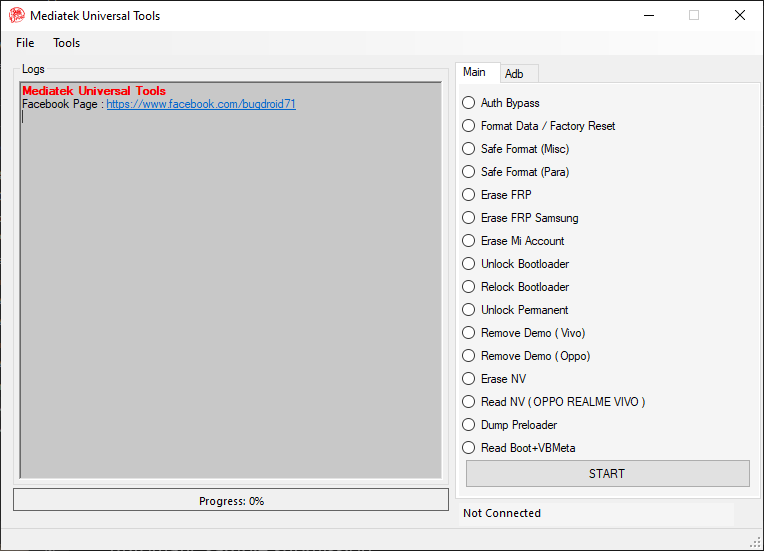
Rooting an Android device gives you superuser access, allowing you to unlock deeper customization, install powerful apps, and remove pre-installed bloatware. If you own a Stratus C5 Elite, you might be wondering how to root it safely. This guide walks you through the basics.
⚠️ Disclaimer
Rooting your Stratus C5 Elite will void your warranty, and if done incorrectly, may cause boot loops or permanent damage. Proceed at your own risk. Always back up your data before attempting.
✅ Why Root Stratus C5 Elite?
- Remove bloatware and free up storage.
- Boost performance with custom ROMs and kernels.
- Improve battery life with advanced tools.
- Full customization of UI, fonts, and system settings.
📋 Prerequisites
Before rooting, make sure you have:
- Unlocked bootloader on your Stratus C5 Elite.
- A Windows PC or Another Android with proper USB drivers installed.
- USB cable to connect your device.
- ADB & Fastboot tools or Bugjaeger installed on your PC.
- Custom recovery (TWRP) cannot be flash so you have to pitch boot.img with Magist.apk
- Magisk.apk (latest version) to gain root access.
🔓 Step 1: Enable Developer Options
- Go to Settings > About Phone.
- Tap Build Number 7 times until you see “You are now a developer!”.
- Go to Settings > Developer Options.
- Enable USB Debugging and OEM Unlocking.
📱 Step 2: Unlock Bootloader
- Connect your phone to the PC or Android.
- Open Command Prompt in the ADB folder or Open Bugjaeger app and select Fastboot and select Fastboot shell.
- Type: (
adb or fastboot) reboot bootloader and fastboot oem unlockor fastboot flashing unlock - Confirm the unlock on your phone (this will wipe all data).
🛠 Step 3: Disabling Orange State Logo Loops
- Flash vbmeta.img to disable orange state.
- Type: fastboot –disable-verity –disable-verification flash vbmeta (pitch-vbmeta.img)
🧩 Step 4: Root with Magisk
- Flash pitched boot.img.
- Type: fastboot boot pitched-boot.img
- Reboot your phone.
🎉 Step 5: Verify Root Access
- Install Magisk Manager app.
- Open it – if everything went well, your device should show as Rooted.
⚡ Final Thoughts
Rooting your Stratus C5 Elite unlocks a world of possibilities – from performance tuning to full customization. But remember, it comes with risks. Always research custom ROMs, use trusted sources, and keep backups handy.